
Preview Handlers are a concept introduced in Windows Vista (and supported in later operating systems). Most prominently used by Windows Explorer (and notably in Outlook 2007), they allow third-party developers to provide lightweight, interactive previews of data that can be hosted within other applications. You might use them to preview documents in a custom file explorer, or from somewhere that Windows Explorer cannot go, such as files stored as BLOBs in a database. Any exercise that involves reviewing or managing documents benefits extremely from a mechanism that will preview the content without opening another program, and this is it!
From an implementation perspective, preview handlers are basically borderless windows that are bound to a window or control in your application. Their operation and content can be controlled, but their UI is isolated. All preview handlers implement the COM interface IPreviewHandler and are associated with file formats within the Windows Registry. At the time of writing, there is no official managed API for hosting preview handlers in Windows Forms applications, so I have written my own.
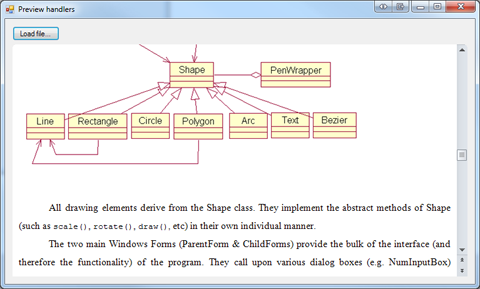
In my implementation, PreviewHandlerHost is a custom control to which the preview handler is bound. With each filename/stream that is opened, the appropriate handler is loaded and displayed. To display a preview handler in a Windows Forms app, given the filename of the content you want to preview, the following must be performed:
- Locate the registry key in HKEY_CLASSES_ROOT that corresponds to the file extension. Within the ShellEx key, there should be a key with the GUID {8895b1c6-b41f-4c1c-a562-0d564250836f}. Within this key, there should be a GUID that identifies the COM type that implements IPreviewHandler. If you cannot locate the key here, try the file type’s class key – this corresponds to the default value of the first key mentioned above.
private Guid GetPreviewHandlerGUID(string filename) {
    RegistryKey ext = Registry.ClassesRoot.OpenSubKey(Path.GetExtension(filename));
    if (ext != null) {
        RegistryKey test = ext.OpenSubKey("shellex\\{8895b1c6-b41f-4c1c-a562-0d564250836f}");
        if (test != null) return new Guid(Convert.ToString(test.GetValue(null)));

        string className = Convert.ToString(ext.GetValue(null));
        if (className != null) {
            test = Registry.ClassesRoot.OpenSubKey(className + "\\shellex\\{8895b1c6-b41f-4c1c-a562-0d564250836f}");
            if (test != null) return new Guid(Convert.ToString(test.GetValue(null)));
        }
    }

    return Guid.Empty;
}
- Using reflection (since there is no assembly or type library we can use), create an instance of the preview handler (using Type.FromCLSID() and Activator.CreateInstance()).
Type comType = Type.GetTypeFromCLSID(mCurrentPreviewHandlerGUID);
mCurrentPreviewHandler = Activator.CreateInstance(comType);
- Depending on the type, initialise the preview handler with a filename (IInitializeWithFile) or a stream containing the content to preview (IInitializeWithStream).
if (mCurrentPreviewHandler is IInitializeWithFile) {
    ((IInitializeWithFile)mCurrentPreviewHandler).Initialize(filename, 0);
}
else if (mCurrentPreviewHandler is IInitializeWithStream) {
    mCurrentPreviewHandlerStream = File.Open(filename, FileMode.Open);
    StreamWrapper stream = new StreamWrapper(mCurrentPreviewHandlerStream);
    ((IInitializeWithStream)mCurrentPreviewHandler).Initialize(stream, 0);
}
- Bind the preview handler to the control you want to host it in (you can limit it to a region within the control’s bounds) and activate it.
Rectangle r = ClientRectangle;
((IPreviewHandler)mCurrentPreviewHandler).SetWindow(Handle, ref r);
((IPreviewHandler)mCurrentPreviewHandler).DoPreview();
There are some hurdles involved in getting the COM types into .NET:
- The relevant COM interfaces have to be manually declared and mapped using the [ComImport] attribute (so it is necessary to know their GUIDs and structure).
- IInitializeWithStream cannot be used directly with System.IO.Stream, so it was necessary to write a wrapper class that implements System.Runtime.InteropServices.IStream.
- The usual COM clean-up routine is required (Marshal.FinalReleaseComObject()) in order to release resources – this is integrated into the control’s Dispose() method.
The finished control can simply be dropped onto a Form, and will display the preview after a call to the Open() method. If you resize the control while a preview handler is active, it will be resized accordingly. If no file has been loaded or an error is encountered, it will be displayed on the empty control. You can also explicitly unload a file by calling UnloadPreviewHandler(). Preview handlers may have transparent backgrounds (for example, the Microsoft Office handlers use rounded borders), so the control permits this.
Final Words
Preview handlers are a powerful addition to file explorers, document management systems and the like, and they can be harnessed for use in .NET as well. Unfortunately, however, they are not the only mechanism that Windows Explorer and other previewers use to display content. Under Vista and Windows 7, for example, there are no preview handlers registered for images, plain text documents or HTML files. That means that PreviewHandlerHost is far from a holistic solution. Rather, it should be combined with existing constructs to preview a fuller range of file formats. However, in testing I was able to demonstrate support for most major office document formats and media files.
I hope you find it useful 🙂
Download
There is a newer version of this code available here: Preview Handlers Revisited
Note: You must add a reference to the System.Design assembly in order to compile the source code.
Also, there is a known issue where the Windows Media Player 11 preview handlers leave behind a black rectangle after unloading.
Hi Bradley,
Thanks for this. Have you figured out a problem with TXT Previewer, i still can’t solve it.
Also I would some small code at the end of GetPreviewHandlerGUID method, kind of a fallback (work for all the files that have text value of PercievedType):
else
{
string PercievedType = Convert.ToString(extension.GetValue(“PerceivedType”));
if (PercievedType != null)
{
string PercievedTypePreviewHandlerCLSID = string.Format(@”SystemFileAssociations\{0}\shellex\{8895b1c6-b41f-4c1c-a562-0d564250836f}”, PercievedType);
registryKey = Registry.ClassesRoot.OpenSubKey(PercievedTypePreviewHandlerCLSID);
if (registryKey != null)
return new Guid(Convert.ToString(registryKey.GetValue(null)));
}
}
Best Regards,
Marko
Unfortunately, I have no new information about the TXT Preview Handler; it just doesn’t seem to work in some environments. Thanks for the code snippet; it seems there are several different locations in the registry that preview handler GUIDs may be declared.
I got the TXT preview handler to work by compiling the code as x64 in VS 2010. I’m on a 64bit system.
Thank you for your reply.
It works when app is build in x64 mode, but not x86, that’s all I could get.
Thanks again for your sample, it helped a lot.
Best regards,
Marko
Thanks for the great post.
Is there a way to highlight specific words, using preview handler?
Unfortunately that’s not possible; the preview handler API only exposes the functionality to load content into the handler, not to interact with it in any way.
Hi,
By default, when I drop your previewHost component on a WinForm, I can open word files with it but can’t open pdf files for example.
Can you tell me how can I register additional handlers for another file types which I need in my App, to be opened with this component?
Thanks,
Vedran
Very nice post.
Just one quick remark: preview handlers can also be registered per user, ie: the guid discovery code should check HKCU as well (don’t know if it’s documented anywhere though…)
And in fact, I believe the best way to discover the preview handler association is to use AssocQueryString (http://msdn.microsoft.com/en-us/library/bb773471(v=VS.85).aspx) with ASSOCSTR_SHELLEXTENSION as the str parameter, and “{8895B1C6-B41F-4C1C-A562-0D564250836F}” (IPreviewHandler) for the pszExtra parameter. In return, pszOut will contain a GUID string. This API will take care of all the gory details 🙂
Aha, I wondered if there was something in the Windows SDK to deal with this – thanks for your contribution, should save a lot of time and effort!
hello, i’m testing this source code, but only works fine with words files, you can give a complete source code??
The complete source code is already provided. As stated in my post, the formats that can be previewed will depend on the handlers installed on your machine. If you can only preview Word files, then I presume you only have the appropriate preview handler for those.
Found some issues (Windows 7 x64, Office 2010, VS 2010, .Net 4.0):
– OnResize need SetRect(ref r) to be called instead of SetWindow(…);
– Dispose(…) raises “COM object that has been separated from its underlying RCW cannot be used.”. Next helps:
if (Marshal.AreComObjectsAvailableForCleanup()) { UnloadPreviewHandler(); }
Thanks, Alex, I appreciate your feedback 🙂
Great post! It works very well when I’m trying to open a file directly on my disk using the filename but what I’m actually trying to do is to open a Stream object that comes from a Livelink database. Is it actually possible? When I download content from the Livelink database the Livelink webservice returns me a System.IO.Stream Object and when I try to use the Open(stream, GUID) method I’m not sure on how to create the GUID object parameter. If I create the GUID with the GetPreviewHandlerGUID with the extension of the file that I can get from the Livelink database and try to initialize it says “No such interface supported” since it believes it has been instantiate from a file type and not a stream (or it is what I understand from it). Of course I could get the Stream object, save it to a temporary file and preview it but I don’t think it’s a good practice. Any help would be greatly appreciated.
Antony, did you ever find a solution for previewing the stream? I’m having the same problem. I created another overload: Open(stream, fileExtension). I use the fileExtension to pull the GUID from GetPreviewHandlerGUID, but when the IPreviewHandler tries to run its DoPreview method, an error is returned from the COM object. Also, the stream is never “wrapped” because it appears to be a file (not a stream). Does anyone know what GUID needs to be passed to preview a stream?
See the follow-up article for more information.
Great job!
Any idea / hint how todo that in Delphi (win32, not .NET)
Should be even more straight forward (directly using COM)
Hi Bradley, This is excellent code – I have however found something very peculiar when previewing Word documents, an occurence of Winword starts up and if I then switch to a different type of file (e.g. pdf) Winword shuts down when calling the Marshal.FinalReleaseComObject(mCurrentPreviewHandler) inside the public bool Open(string filename) – this is great.
However if the last document being previewed is a Word document then even though the dispose method calls UnloadPreviewHandler and then Marshal.FinalReleaseComObject – Winword is left running – so you can end up with a whole load of Winword processes running.
So anyone have any ideas – I am on Windows 7 / Office 2010 / VS 2010 / tried both .net 4 and .net 3.5
Hi Andrew, I have to admit that this one has me stumped. The call to Unload() should be enough to remove any runtime dependency on Winword.exe, and even if the code in the Dispose() method was not sufficiently releasing the object, the shutting down of the runtime should cause the process to exit anyway. COM can be a mysterious beast at times, and I think this is just one of those instances. I have not made an attempt to replicate this, but if I find a solution, I will be sure to post about it.
I seem to have solved this problem by disposing the previewhandler in the “closing” event of the form – i.e. not leaving it to the general component dispose – this seems to shut down word correctly:
public Preview_Form()
{
InitializeComponent();
this.FormClosing += new FormClosingEventHandler(Preview_FormClosing);
}
void Preview_FormClosing(object sender, FormClosingEventArgs e)
{
//We seem to need to dispose of the previewhandler before the parent form is disposed
// otherwise Word does not get unloaded!!
PreviewHandlerHost1.Dispose();
}
No idea why this should matter – I guess it implies things are getting disposed of out of sequence.
Anyhow put it here in case someone else has this issue.
Hi Andrew (and a shout out to Brad as well),
Not sure if you are still reading this blog entry, but I ran across exactly the same issue that you describe above some years ago myself. At the time, I also found out that doing the unload and dispose at the parent level improved things, but even back then my testing showed that the problem would still happen every now and again. I was never happy with this outcome and in fact, the problem has been bugging me since that time.
This week I started reworking some code for other reasons and I decided to place the iPreviewHandler stuff into its own thread whilst I was at it. That is when the fun began and I finally realise what is going on.
Basically what is happening is that my application exits before Unload() has finished, which it can do because of the way iPreviewHandler works. I found this out purely by accident as I placed a block on my main thread whilst testing and I saw that Unload() never returned. No error message, it just never returned at all.
My first thoughts were that perhaps I was destroying the file stream too soon but if that is the problem its not the one that counts as I blocked the main thread immediately after calling Unload() but before the stream has been destroyed. Sure enough Unload() waits, so it does appear to require the Message Pump.
I then tried various combinations of delays and even a message pump separate to the main one – get the delay right and all is fine. If the delay is too short, Unload() simply stops and just sits there.
That is why WINWORD.EXE just hangs around and although my application appears to have exited, it is still in the list of processes as the worker thread is still waiting. Manually end the Winword process, Unload() returns and my thread closes.
I have only just discovered this and I am somewhat stunned by what I think my tests are telling me. I guess I made the assumption that the Previewer would have its own message loop if it needed one. Perhaps it doesn’t need one but does need to communicate with the host Window/Control for some reason. I thought we were pushing information but that cannot be the case. So it does appear that some sort of Synchronisation is needed to ensure things shutdown smoothly.
Since altering my application to close down the Preview and then wait before calling PostQuitMessage(), the problem appears to have been completely resolved. I have really hammered it and so far the issue has not resurfaced, fingers-crossed.
If anyone wants to try this out for themselves, note that the larger the file that needs to be unloaded the greater chance that your application will exit before unload has occurred. I did most of my testing with a large doc file (10 meg) and a 60Meg PDF file both of which I previewed across my network. This allowed me to easily replicate the problem at will.
when i try to preview sometimes i get following error:
Cannot create a top-level child window. (Exception from HRESULT: 0x8007057E)
can u tell me why is it so???
Thanks
hey,
I want to bind this previewhandler to a wpf usercontrol any idea hw to do it????
You’ll have to use the WindowsFormsHost element; it allows you to embed any Windows Forms control in a WPF application. Have a look at this article: http://msdn.microsoft.com/en-us/library/ms751761.aspx
(You cannot directly host preview handlers in WPF because the API does not expose the window handles of its controls.)
HI Smith,
First of all thank you very much for a great article on preview handlers.
I was searching for a long time for this type of previewer to use with my C# application. Finally got from you site.
By the way I am getting an error when I resize the form where this handler is placed.
This is only happen when the handler is loaded with MS Office File.
************** Exception Text **************
System.Runtime.InteropServices.COMException (0x80004005): Error HRESULT E_FAIL has been returned from a call to a COM component.
at IPreviewHandler.SetWindow(IntPtr hwnd, Rectangle& rect)
at PreviewHandlerHost.OnResize(EventArgs e) in C:\Users\vadelk\Documents\Visual Studio 2010\Projects\WindowsFormsApplication1\WindowsFormsApplication1\PreviewHandler.cs:line 126
at System.Windows.Forms.Control.OnSizeChanged(EventArgs e)
at System.Windows.Forms.Control.UpdateBounds(Int32 x, Int32 y, Int32 width, Int32 height, Int32 clientWidth, Int32 clientHeight)
at System.Windows.Forms.Control.UpdateBounds()
at System.Windows.Forms.Control.WmWindowPosChanged(Message& m)
at System.Windows.Forms.Control.WndProc(Message& m)
at System.Windows.Forms.Control.ControlNativeWindow.OnMessage(Message& m)
at System.Windows.Forms.Control.ControlNativeWindow.WndProc(Message& m)
at System.Windows.Forms.NativeWindow.Callback(IntPtr hWnd, Int32 msg, IntPtr wparam, IntPtr lparam)
Do You Have any idea on above error?
Pingback: Previewing Microsoft Office Documents and PDF in WPF using a Preview Handler Host « Hmadrigal's Blog
Environment (Window 8, Adobe PDF Reader 11.1)
exceute : ((IPreviewHandler)mCurrentPreviewHandler).DoPreview();
in case of pdf file, it gives exception like : error hresult e_fail has been returned from a call to a com component. It happens onlu in windows 8. It working fines in Windows 7.
The Adobe PDF Preview Handler can be used in this environment – I can confirm that it works under the environment I use (Reader 11.0.3, Windows 8 64-bit). Be sure to check the other comments on this post for additional considerations, in particular mismatches that may occur in relation to architecture (64-bit processes cannot invoke 32-bit preview handlers, and vice versa). Windows 8 also introduces some changes in relation to UAC and permissions; you may experience problems invoking preview handlers if your application is not started with appropriate permissions.
I also had this problem and discovered that yet again we have a bit of a dogs breakfast going on with Windows 8.
The problem specifically with the previewing of the PDF file is that Windows 8 comes with its own PDF reader which is a metro application and DoPreview() fails.
What I then did was install Adobe Reader 9.5 for testing, but I still got the error. Then I went into the Default Programs section in Control Panel and made sure that .PDF was associated with Adobe Reader. This solved the problem.
Note that Windows 8 causes grief for the Outlook 2007 preview facility as well. Yet another example of things not being thought through correctly on WIn8.
hii smith,
I have created a preview handler to dispaly an image and i am capable to display the image on preview pane of window explorer(using compilation in VSC++ and then registering it using regsvr32 fName.dll). it works succesfully in Wexplorer but now i tried to do so in in preview pane of outlook 2010 by attching that file on a mail.
by random search on mail i got some idea that i need to create add-in for my^preview handler and then only it will work on outlook … do you have any idea how to do that ..even i registered my preview handler on the path ( hr = HRESULT_FROM_WIN32(RegOpenKeyEx(HKEY_CURRENT_USER,L”Software\\Microsoft\\Office\\Outlook\\Addins\\AMEPreviewHandler”, 0, KEY_WRITE, &hKey));)
but still when i check outlook i dont have any add-in for it …
Could you please tellme how to do that ???
thanks,
shekhar
I’m afraid I cannot help you; all of my experience has been in consuming preview handlers, not creating new ones.
We’re using your sample code in a project of ours, and it works great. We use it to add a preview of word files inside a VSTO solution. Sadly, we then get issues when users click inside the preview (which is a live Word document then), as they cannot get out of the preview anymore (Focus is caught up). Only way to get out of it is to switch to another project, and return to Word.
Have you got any ideas on this issue?
I’m afraid I can’t shed much light on this. If this is a VSTO solution, then I suspect the problem is due to your code running within another of the Office applications, which may process certain window messages (e.g. focus) and not filter them through to child windows. There may well be a solution to this, but I expect it would be complicated and involve a lot of direct calls to the Win32 API.
hi bradley,
excellent code. just one thing i noticed was that when you load power point file with auto advance slide settings using timing, the slides doesn’t move and stays on the first slide. is there a work around to solve this problem?
thanks
raxit
I suspect that the PowerPoint preview handler simply doesn’t support this. You have to remember that these are just previews of the slides, and that the preview handler has been optimised to load quickly and use few resources.
hey Brad, would you call this one PreviewHandlerHost?? http://www.apponfly.com/en/
I don’t think so. This looks like RemoteApp to me. Whereas preview handlers simply leverage existing application components that are already installed on your computer, RemoteApp lets you view and control an application running on a different machine without having to install anything on the client side.
My project is a WPF application .
In our project there is requirement like displaying the initial content (or page) of file in freeze mode.The file can be of type .pptx,.pdf,.jpg,.png,.html,.txt,video file….
To achieve this we are using Preview handler implementation which is present in the in this link
While displaying the file it is loading the entire content of file instead of snapshot of first page and also showing the horizonal and vertical scrolls,which are need to my requirement.
Can any one please share your ideas in resolving the below problems
1)How to remove the scrolls of preview handler.
2)How to get the intial content or first page of file in freeze mode.
You will not be able to achieve either of these goals by using preview handlers; each preview handler is different and has complete control over how it displays its content and the user interface it provides. The only functionality exposed to hosts is that which is covered in my article (setting the window size and loading the file or stream).
If you want greater control over document previews, you will have to write your own previewing functionality on a per-format basis (or use other third-party code). The logic required to preview, for example, a PDF is drastically different to what would be required to preview a Word document. There is no ‘one-size-fits-all’ solution.
Hi Bradley,
Thank you so much for such a great work of creating managed API for documents preview. Apparently you have saved so much time of ours who have come to your site in the need and search of incorporating documents preview in the respective projects or for other purpose.
My project is in C#.net and if you can shed some light on the following then would be really helpful.
[1] How do I manage to get preview control to display word documents in their default/standard size? Like when you view word document in the word application itself or using WebBrowser control. The word document display gets distorted if I resize the preview control to full screen. I do know that I can manually set the size of rectangle control, but I want to display the original size of the word document at all times without using any non standard method. The WebBrowser control displays word documents in their original default size but there I have to handle lots of things to display word document as readonly and to hide the toolbar etc..so I do not prefer the WebBrowser control.
[2] I have registered the preview handlers for excel macro enabled – XLSM files but neither preview control nor windows explorer display the preview. Is this extension not supported for the preview?
Again thanks for the great work you have provided.
1. Word 2010 and above now default to the ‘reading view’ for documents which are previewed or opened from an untrusted location. In this mode, you don’t have any control over the zoom amount. In any case, this is determined internally by the Word preview handler and is not part of the API that is exposed.
2. I suspect this relates to security/trust settings, and it may not be possible to change this. Current versions of Word are very paranoid about macro-enabled documents and may be hard-coded not to display previews for them. Try looking in the settings for Word itself to see if you can change this behaviour.
Hello Brad,
I am using IPreviewHandler to preview office documents such as word, ppt and excel in a c# application. This works great. Now, I would like to preview password protected documents. Is there anyway to provide password to the preview handler for the office documents?
Thanks,
Pradeep
There is nothing in the API that can achieve this; you can only initialise and display preview handlers, all other functionality lives and dies within each specific implementation. Password-protected documents are not designed to be previewed.
If the documents are in the new (current) OpenXML formats, you might be able to use the OpenXML SDK to decode the content (assuming the passwords are known). You can do this on-the-fly, writing the unprotected document to a temporary location, loading it into the preview handler and then removing the temp file at the end of the process.
Here is some information about password-protected OpenXML files: http://blogs.msdn.com/b/openspecification/archive/2009/07/17/overview-of-protected-office-open-xml-documents.aspx
Brad,
Thanks for the response. It was useful. But now I got something to say. For excel, if I tried to preview it, I get a popup for entering password. After I enter the password, I am able to preview the excel documents. But for word and PPT, its not happening. I don’t get such popup to enter the password.
If I opened the password protected word document in winword.exe(i,e after entering the password) I am able to preview the same word document using IPreviewHandler, but for PPT its not happening.
Can you please suggest me any interop to use the pluggins winword.exe, excel.exe, powerpnt.exe to enter passwords and then preview it using IPreviewHandler? Or any other Idea? Since, I don’t want to create a copy of password protected document as unprotected document, there should be another way to achieve it. Expecting your valuable comments.
Pingback: Previewing Microsoft Office Documents and PDF in WPF using a Preview Handler Host | Hmadrigal's Blog
Hello Brad,
I am using IPreviewHandler to preview office documents. This works great for WORD and Powerpoint documents. however, when I preview excel files it goes in hang state.
I found it has gone in the method ((IPreviewHandler)mCurrentPreviewHandler).DoPreview(); and never comes back .
After checking in the task Manager, I found that EXCEL.exe process keeps on running in the background. The control never returns fromthe DoPreview() function.
The strange thing is that the very same excel opens up pretty well in my test application but not in my main project.
Can you please enlighten me what could be possible reason for such a scenario?
Looking forward to your reply.
Got the problem resolved. I had overriden in my form
protected override CreateParams CreateParams
{
get
{
CreateParams cp = base.CreateParams;
cp.ExStyle |= 0x02000000; // Turn on WS_EX_COMPOSITED
return cp;
}
}
Commenting the above code resolved the issue.
I have found that Excel.exe sometimes hangs when calling Unload() via the IPreviewHandler interface from the user control’s Dispose method.
Subscribing to the parent form’s Closing event seems to be a valid workaround. Simply call SubscribeParentFormClosing() in the following code before loading a preview handler.
bool m_isSubscribedToParentFormClosing = false;
private void SubscribeParentFormClosing()
{
if (m_isSubscribedToParentFormClosing)
return;
if (ParentForm == null)
return;
ParentForm.FormClosing += OnParentFormClosing;
m_isSubscribedToParentFormClosing = true;
}
private void OnParentFormClosing(object sender, FormClosingEventArgs e)
{
UnloadPreviewHandler();
}
protected override void Dispose(bool disposing)
{
if (ParentForm != null)
ParentForm.FormClosing -= OnParentFormClosing;
base.Dispose(disposing);
}
Hi Brad,
Thanks for such a great post. I am using IPreviewHandler for previewing office documents such as .docx, .pptx, .xlsx. I am facing the following two problems which are seen only intermittently:
1. While previewing the word document the preview gets shifted up so the first line is not seen the preview.
2. When the document is opened from the application the preview gets blank.
These happen only with word documents and everything starts working fine again if any document if previewed from Windows explorer preview pane. Please share if you have any idea regarding these.
All of these details are, sadly, implementation-specific. There is no aspect of the Preview Handler API that governs that type of behaviour; all the API allows you to do is load content into the preview handler and set the size of the window. I have noticed that the Microsoft Office applications in particular cut corners with their preview handlers by simply running the full application as a background process. So, I suspect that the shifting is occurring because of the recent “feature” in Microsoft Word that causes the view to scroll to the last location in the document. The preview going blank is likely due to Word needing an exclusive lock on the file handle when it is opened for editing; the only way it can do this is by unloading the preview.
I have tested their project.
Works as far as I use their original exe of 2013 (primary interest in PDF Preview)
So I recompose it (no matter x86 or x64)
This is due to a COMException: returned to E_FAIL
in line:
((IPreviewHandler) mCurrentPreviewHandler) .DoPreview ();
Could she please help me understand the mistake.
Hello Brad,
This stuff is awesome! thanks a lot!
I am wondering however… Is it possible to copy the contents of the previewhost to the clipboard?
It is possible for the user to select contents and copy by rightmouseclick.
Preview handlers are completely autonomous and self-contained, so unless a particular preview handler happens to implement this functionality there is no way to achieve this. The host can only communicate with the preview handler to load the document and set the size of the preview – nothing else.
Thanks for your clear answer. Too bad for me 🙁
I’ve always had the experience that anything that’s possible on the user side of thing is also possible programmatically. Should I not be able to program the mouse selecting and highlighting the text of a .docx in the preview and press right mouseclick ad choose save?
Any ideas on how to perform such an operation?
It would be much faster then using a filestreamreader or something like that…
It might be possible through some of the Win32 APIs, such as SendKeys and SendMessage (WM_COPY comes to mind) – the host does have a window handle to the preview handler, which would be the starting point for those functions. OLE might be another option. The problem with both of these approaches is that they make assumptions about specific preview handler implementations when the whole purpose of the mechanism is to be agnostic. It would likely be tied to specific types of documents and specific versions of Office.
If your goal is to copy the entire document to the clipboard then you would be better off reading the file contents directly as a stream. If you need to convert to a different format then there are much better ways of achieving this.
Thanks for good example project.
But I noticed two critical bugs in your StreamWrapper::Read/Write implementation. It contains the following code:
long cbVal;
…
Marshal.WriteInt64(pcbXXX, cbVal);
where pcbXXX is IntPtr. Technically the pcbXXX is the pointer to 4-byte value (see the https://docs.microsoft.com/en-us/windows/desktop/api/objidl/nf-objidl-isequentialstream-read), so using the WriteInt64 is incorrect in that case and it corrupts the call-stack in runtime. You need to use WriteInt32 here. And for cbVal you need to use the simple “int” type (4-byte) instead of “long” (8-byte).
Looking at the API docs this would appear to be correct, but i’ve been told anecdotally that the actual implementation depends on the processor architecture – WriteInt64 being required on x64 and WriteInt32 on x86. Indeed, a lot of other COM IStream wrappers for .NET use WriteInt64 as well. If changing it to 32 helps in your case, then by all means change it.
Hi. Thanks for this post and code. How can set Preview layout to print layout in Word Preview?
The Preview Handler APIs don’t expose this kind of functionality; it’s beyond the scope of what previews are intended to achieve.
Having said that, the Word implementation does appear to spin up an instance of WINWORD.EXE which you could theoretically access using the Word interop APIs – no guarantee whether the previews would be accessible through this method, though; I would expect them to run in a sandboxed environment for security reasons.
Great job Brad!